
Built for Apple TV

Your feeds belong on the big screen.

LoungeFeed turns the posts, conversations, photos, and videos you already follow into a calm, remote-friendly viewing experience for the living room.

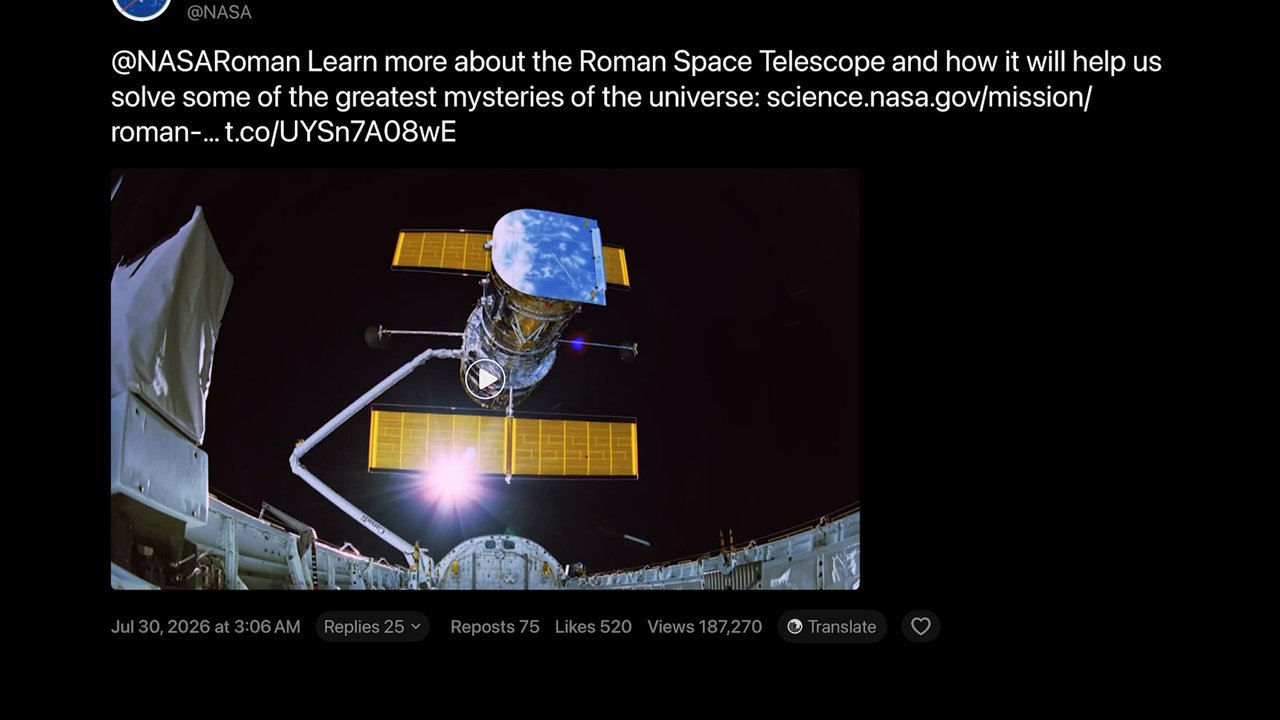
A LoungeFeed post detail with media and conversation controls on Apple TV Demo content shown

One viewing space

Six sources, designed as one experience.

Move between your signed-in sources without switching devices or adapting to a different television interface each time.

Twitter
Bluesky
Reddit
Mastodon
Telegram
Pinterest

The Apple TV experience

Built around how you actually watch.

LoungeFeed is not a phone interface enlarged for television. Its navigation, information density, media layout, and focus behavior are designed around the remote and the room.

Browse

Move between sources without relearning the screen.

Twitter, Bluesky, Reddit, Mastodon, Telegram, and Pinterest share one television-first browsing language. Source and feed choices stay close at hand while the content remains central.

  • Large, readable post cards
  • Remote-first focus navigation
  • Remembered source and feed choices
LoungeFeed feed view on Apple TV with a focused post and source controls

Read and watch

Open the full post. Stay for the conversation.

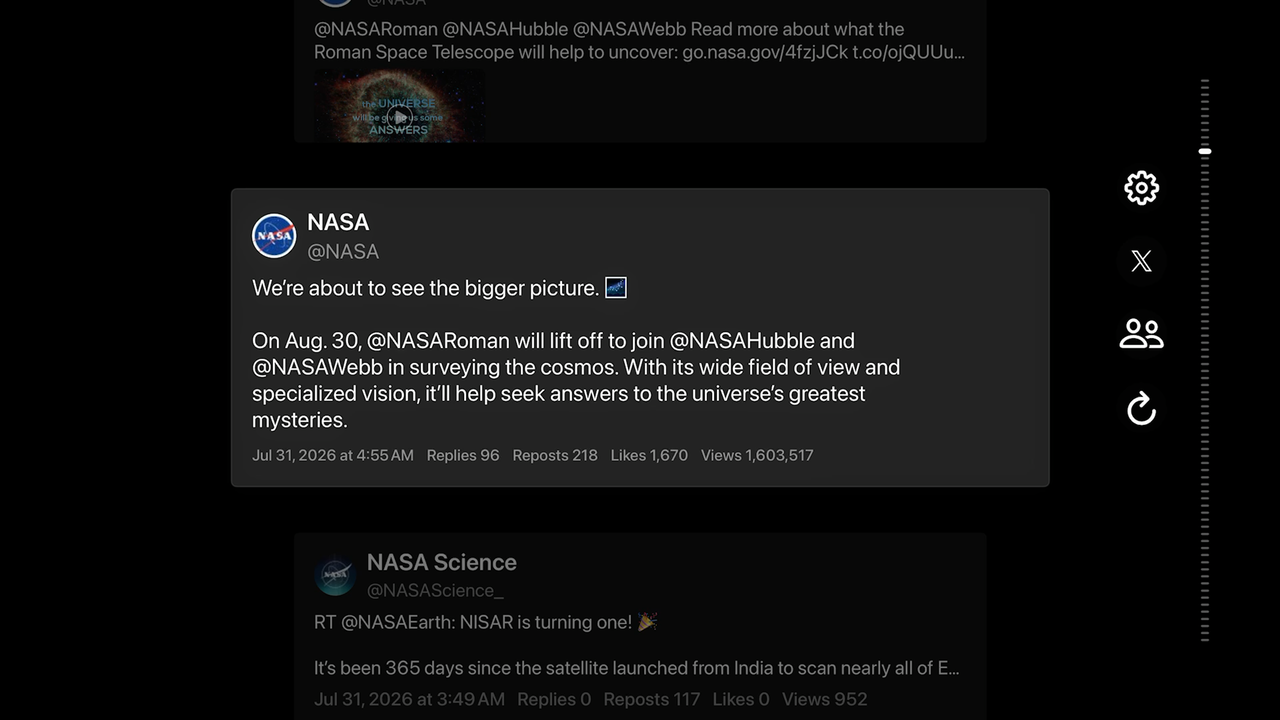
Post details bring together the full text, engagement information, media, and complete replies. Images and videos attached to replies remain part of the conversation and can be opened for a closer look.

  • Complete replies, including reply images and video
  • Portrait media, galleries, and full-screen viewing
  • Adaptive playback and quality controls
LoungeFeed detail view with a large media preview and reply controls

Favorites and collections

Keep the posts worth returning to.

Mark posts from supported sources as Favorites, or organize them into personal collections. LoungeFeed keeps a lightweight local snapshot for fast browsing and retrieves current details, replies, and full media when you open them.
Telegram channels and groups

Bring the communities you joined to the television.

LoungeFeed can display the Telegram channels and groups available to the signed-in user. Open one to browse its messages, photos, videos, and supported linked content in a television-friendly layout.

Your display

Make the screen fit the room.

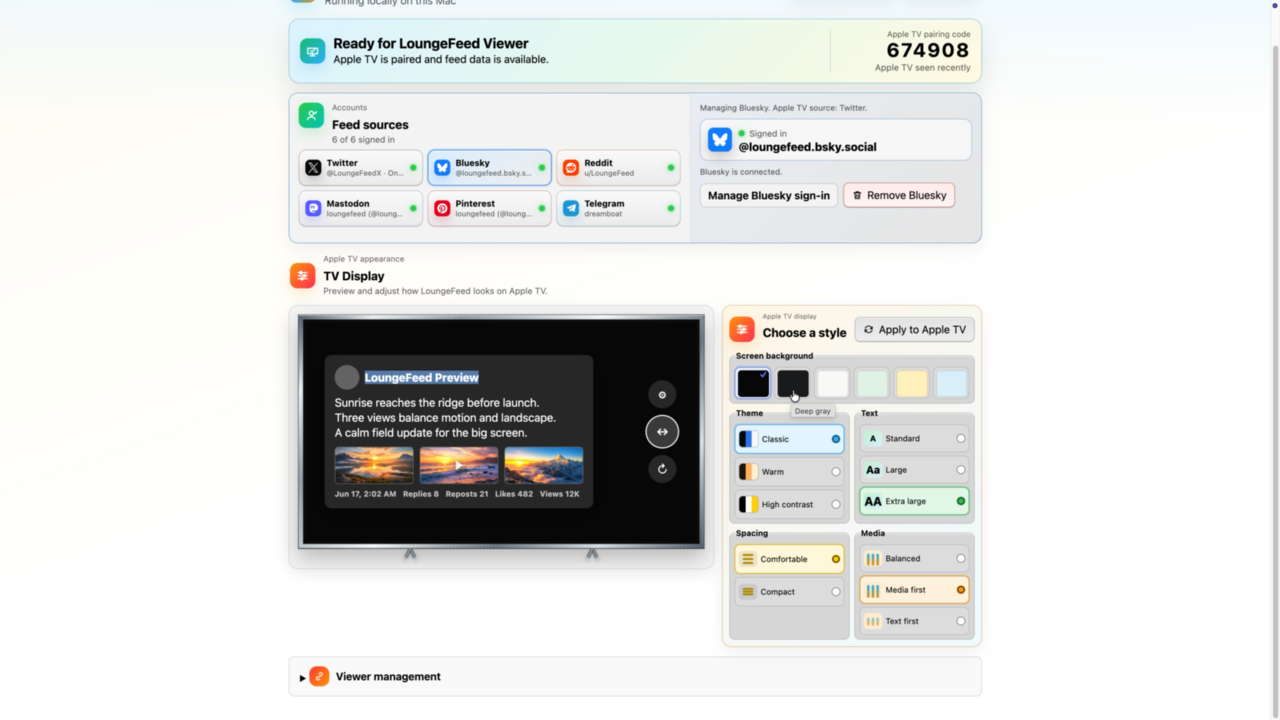
Use the Host to choose the background, text size, spacing, media balance, and other viewing preferences. LoungeFeed automatically maintains readable contrast across light and dark display styles.

LoungeFeed Mac Host showing Apple TV display styles and preview controls

Local by design

From your accounts to Apple TV in three steps.

Install a Host

Run LoungeFeed Host on a Mac or iPhone connected to the same local network as Apple TV.

Connect your sources

Sign in through the source's own authorization experience and choose what you want to view.

Pair Apple TV

Select the discovered Host and enter its local six-digit pairing code.

Local-first privacy

Your Host keeps account access close to you.

Source sessions, tokens, feed cache, and media cache remain on the Host device. Apple TV receives a normalized, read-only viewing feed over the local network.

Read the Privacy Policy →
  • No social posting or commenting
  • No sale of feed or account data
  • Privacy-safe support reports
  • Local cache controls
  • Content controls and on-device checks

No Host required

Explore LoungeFeed before setting anything up.

The Apple TV app includes a guided demo with posts dedicated to Host setup, pairing, browsing, media, collections, personalization, privacy, and support.

Explore mode is available from the connection screen and works without signing in to a source.

Continue with live feeds on the Host page →