Mac Host
Apple silicon only · Release information coming soon
The Developer ID signed and Apple-notarized download is being prepared.
Availability: preparing for launch Download for Mac LoungeFeed
The local companion for LoungeFeed
LoungeFeed Host connects the accounts you authorize, prepares a private local viewing feed, and pairs it with LoungeFeed on Apple TV.
Required for live feeds
Signs in to your sources, keeps account sessions local, and prepares the viewing feed.
Carries the paired, read-only feed directly between the Host and Apple TV.
Displays posts, replies, photos, and video with controls designed for the remote.
Choose where your Host runs
Use the device that normally stays available on the same network as your Apple TV.
Apple silicon only · Release information coming soon
The Developer ID signed and Apple-notarized download is being prepared.
Availability: preparing for launch Download for MacDistributed through the App Store
The iPhone App Store release is being prepared.
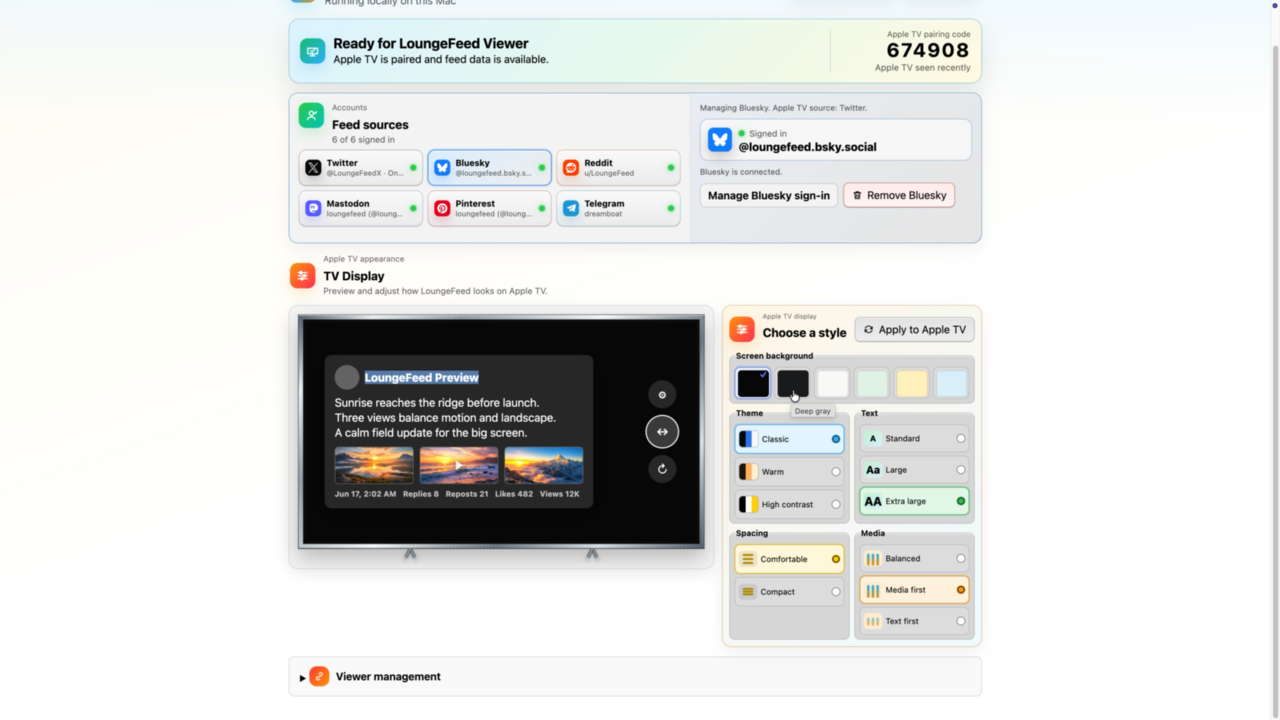
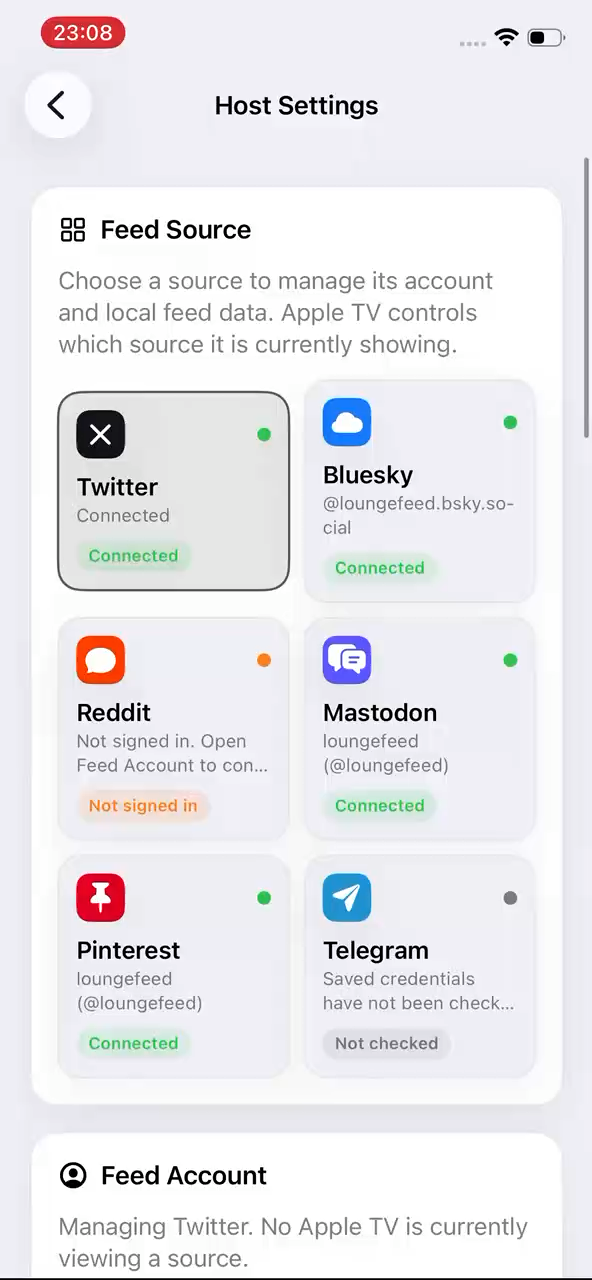
Availability: preparing for launch View on the App StoreA Host you can see and control
Both Hosts provide the same essential account and Apple TV controls in an interface designed for their screen.
After installation
What stays on the Host
Source sessions, credentials, feed cache, and media cache stay on the Host. The paired Apple TV receives read-only, normalized data through the local LoungeFeed connection.